Chatbot for After Hours Leads, Set Up in One Inbox
Set up a chatbot for after hours leads that answers on WhatsApp and Instagram, captures contacts and hands each lead to a named person by morning.
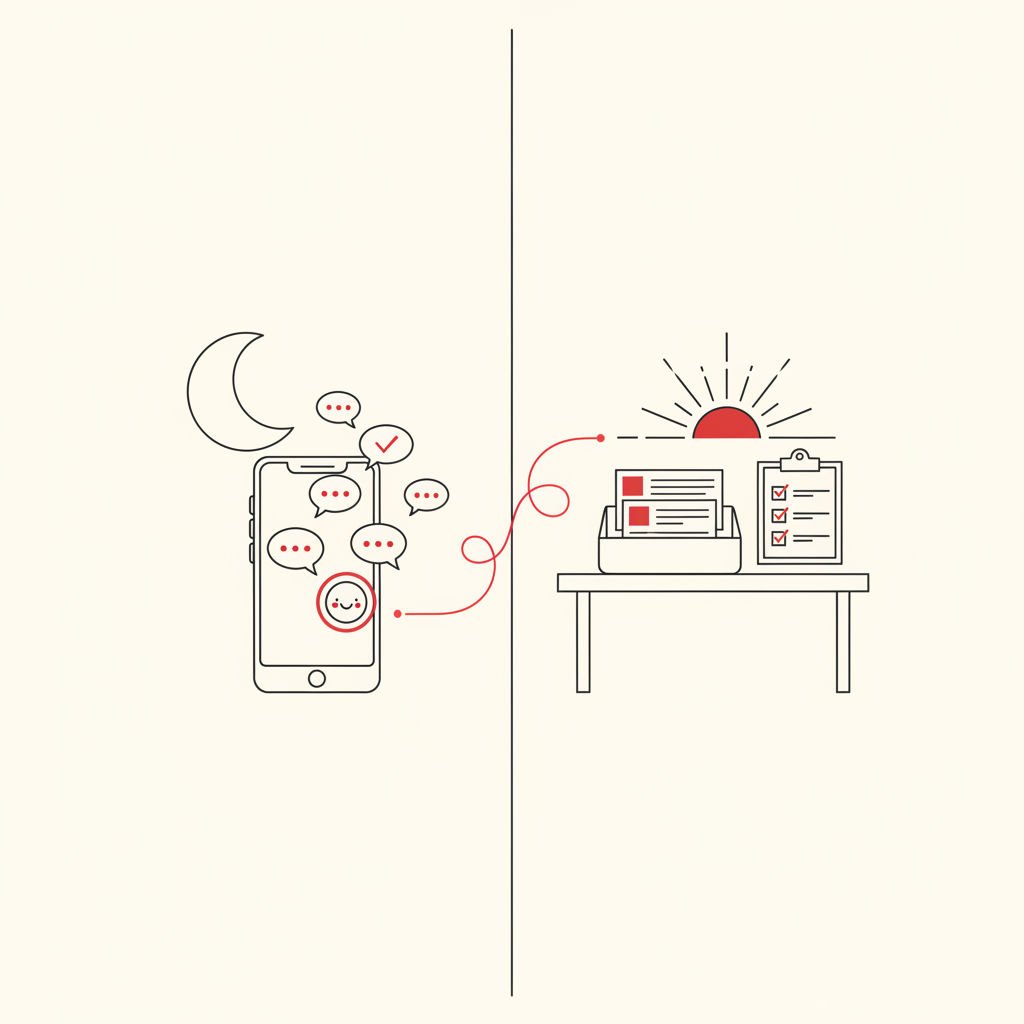
A chatbot for after hours leads answers inquiries on WhatsApp, Instagram and your website while you are offline, asks a few qualifying questions, saves the contact, and passes the conversation to a named person for the first reply the next morning. It replaces the silent gap between 6 p.m. and 9 a.m. without night staff.
This article is for small business owners and service providers whose inquiries arrive outside working hours. After reading it, you will be able to set up a night-to-morning workflow, train the bot on your own facts, and measure your real response time instead of guessing.
A chatbot for after hours leads is an AI assistant trained on your business information that replies to new inquiries outside office hours, collects the visitor's contact details and needs, and hands the conversation to a human with the full context attached.
How do I stop losing leads that message me after business hours?
You stop losing leads at night by replying within minutes, even if the reply comes from a trained assistant, and by making sure every conversation lands in one place where a person owns it by morning. Speed alone is not enough; the lead also needs a useful answer and a clear next step.
The loss scene is familiar. Someone asks about a quote at 9 p.m., nobody answers, and a competitor with a faster reply gets the job. Many articles back this up with a precise statistic, but you do not need someone else's number. You can measure your own after hours lead response by checking how long evening messages in your inbox wait before the first reply.
The second cause is scattering. When inquiries arrive on WhatsApp, Instagram and email, some are simply never seen. A single inbox that collects all channels removes that blind spot before any automation is added.
Can a chatbot answer WhatsApp and Instagram inquiries at night?
Yes, a chatbot can answer WhatsApp and Instagram inquiries at night as long as it is connected to those channels. With QREQ, an AI Chatbot you create can be deployed to a website widget, WhatsApp, Telegram and Instagram, so the same assistant handles all of them.
A WhatsApp chatbot after business hours does more than a simple away message. It can answer a question about your service area, explain how booking works, and ask what the person needs. Every conversation also appears in the QREQ Inbox, which covers 10 channels including WhatsApp, Instagram, Messenger, SMS, Email and Telegram.
WhatsApp Business auto-replies still have a role. Use them as a safety net, for example a short greeting that confirms you received the message, while the chatbot handles the actual conversation.
Will an AI chatbot sound robotic and put customers off?
A chatbot sounds robotic when it is generic, and it sounds helpful when it is trained on your own facts and told how to speak. The fix is preparation, not a different tool.
Training means giving the bot a knowledge base: your services, service areas, working hours, typical price ranges you are willing to share, booking rules, and the questions customers ask most. QREQ AI Chatbots answer from that material, so the replies use your terms instead of vague filler.
Three habits keep the tone human:
- Write the knowledge base the way you talk. Short sentences, your real wording, no brochure language.
- Tell the bot what it must not do. No exact quotes, no promised appointment times, no invented answers. When it does not know, it says so and offers a callback.
- Be open that it is an assistant. A friendly line such as "I'm the assistant for the team; they'll follow up in the morning" builds more trust than pretending.
What should a chatbot for after hours leads ask to qualify a lead?
A good after-hours chatbot asks three to five short questions that tell you whether the lead is worth a morning call and how to prepare for it. More than that and people drop out of the chat.
Qualifying questions depend on your business, but this sample set works for most service providers:
- What do you need help with? (service type)
- Where are you located? (confirms your service area)
- When would you like to start? (urgency)
- Do you have a rough budget in mind? (optional, ask softly)
- What is the best number or email, and when should we reach you? (contact capture)
This is where lead capture matters. With QREQ Sales Funnels and Lead Generation, the answers are saved as a contact entry instead of living only in a chat transcript. That makes the chatbot an AI chatbot lead capture tool for a small business, not just an answering machine.
Auto-reply, chatbot, night staff or voicemail: which fits a small business?
For most small businesses, a trained chatbot gives the best balance of coverage and cost because it answers real questions and captures details, while an auto-reply only acknowledges. The table compares the four options on practical criteria.
| Criteria | Auto-reply | AI chatbot (QREQ AI Chatbots) | Night staff | Voicemail |
|---|---|---|---|---|
| Answers specific questions | No, fixed text only | Yes, from your knowledge base | Yes | No |
| Captures and qualifies the lead | No | Yes, with Sales Funnels and Lead Generation | Depends on the person | Rarely; caller must leave details |
| Works on WhatsApp, Instagram and web chat | WhatsApp Business auto-reply only | Website widget, WhatsApp, Telegram, Instagram | Only channels the person monitors | Phone only |
| Ongoing effort | Low | Initial training, then regular review | High, a salary or shifts | Low |
| Main risk | Lead still waits for a real answer | Wrong answer if facts are missing | Cost and scheduling | Many people hang up without leaving a message |
These options also combine well. Automated replies outside office hours can be a WhatsApp Business greeting plus a chatbot that takes over the conversation.
How do I set up the night-to-morning workflow step by step?
You can set up the workflow in seven steps, and most of the effort goes into gathering your facts rather than adjusting settings. Here is the sequence to follow today.
- Measure your baseline. Open your QREQ Inbox and use response-time tracking to see how long evening and weekend messages wait for a first reply. Write that number down; it is your own benchmark.
- Collect your facts. Write down services, areas, hours, booking rules, price ranges you share, and your ten most common questions with answers.
- Create the AI Chatbot. In QREQ AI Chatbots, add that material as the knowledge base and write short instructions for tone and limits (no exact quotes, no promised dates).
- Add the qualifying questions. Connect the chat to a Sales Funnel so each answer is stored with the contact through Lead Generation.
- Deploy to your channels. Publish the chatbot to your website widget, WhatsApp, Telegram and Instagram, and set a WhatsApp Business auto-reply as a short fallback greeting.
- Set the handover rules. In the Inbox, configure AI-to-human handover for requests such as "call me," complaints, urgent jobs and anything the bot cannot answer. Assign new after-hours leads to a named person and add a label like "After-hours."
- Test and refine. Ask the bot ten real questions from past messages, read the transcripts after the first week, and add missing answers to the knowledge base.
How long this takes depends on how much of your business information is already written down. If you have a price list and an FAQ, the first working version comes quickly. If everything sits in your head, plan time to write it out first, which is useful anyway.
How do I make sure the lead reaches a human the next morning?
You make sure of it by assigning every after-hours conversation to a named person and giving that person a specific first-reply task. A lead that belongs to "the team" belongs to nobody.
In the QREQ Inbox, the conversation arrives with the chat history, the captured contact and the label, so nobody asks the lead to repeat themselves. Canned replies speed up the first message, and response-time tracking shows whether the morning reply actually happened on time.
Morning checklist
- Open the Inbox and filter by the "After-hours" label.
- Read each chat transcript and the captured answers before replying.
- Send a personal first reply, using a canned reply as a starting point and adding one specific detail.
- Handle conversations flagged for AI-to-human handover first.
- Fix any wrong or missing bot answer in the knowledge base.
- Check response-time tracking and compare it with your baseline.
Example scenario
Example: a three-person bathroom renovation company receives a WhatsApp message at 9:40 p.m. asking about a full remodel. The chatbot replies within moments, confirms the company serves that postal area, and asks about the scope, start date and a rough budget. It saves the phone number and tags the chat "After-hours."
The next morning, the office manager, who was assigned in the Inbox, opens the chat at 8:30, sees the answers, and sends a personal message with two time slots for a site visit. The numbers here are illustrative, not research. The point is that the lead was answered, captured and waiting for a named person before the day began.
Key takeaways
- Answer fast and usefully at night, then give the lead to one named person for the morning.
- Train the chatbot on your own knowledge base so replies use your facts and wording.
- Ask three to five short qualifying questions and save the answers as a contact.
- Collect WhatsApp, Instagram and email in one Inbox so no message goes unseen.
- Measure your own response time before and after instead of relying on published statistics.
Frequently asked questions - FAQ
How long does it take to set up and train a chatbot on my own business info?
It depends mostly on how much of your information is already written down. If you have a service list, price ranges and an FAQ, a first version can be built quickly. Plan extra time to test with real past questions and to review transcripts during the first week.
How do I make sure the chatbot hands the lead to a human?
Set handover rules in the Inbox so that requests like callbacks, complaints, urgent jobs or unanswered questions move from the AI to a person. Assign each after-hours conversation to a named team member and give them a first-reply task for the morning.
Is a WhatsApp Business auto-reply enough on its own?
An auto-reply confirms that you received the message, but it cannot answer questions or collect details. It works well as a short greeting alongside a chatbot. If you rely on it alone, the lead still waits until morning for any real information.
Will customers be annoyed by talking to a bot?
Customers are usually fine with a bot that is clear about being an assistant, answers correctly and promises a human follow-up. They are put off by vague, repetitive or evasive replies. Training on your own facts and setting limits on what it may promise prevents most of that.
What if the chatbot does not know the answer?
Instruct it to say that it does not know, collect the contact details and the question, and flag the conversation for human handover. Then add the missing answer to the knowledge base the next morning so the same gap does not repeat.
How do I measure whether after-hours replies improved?
Record your average first-reply time for evening and weekend messages before launch, then compare it after a few weeks using response-time tracking in the Inbox. Also count how many after-hours chats ended with a captured contact. Your own figures are more reliable than any published benchmark.
If you want a chatbot for after hours leads, a lead capture funnel and a shared inbox in one login, you can build that workflow in QREQ. Which question do your customers ask most often in the evening, and is the answer already written down somewhere your chatbot could use?